Minecraft Mods: A Beginner’s Guide to Modding
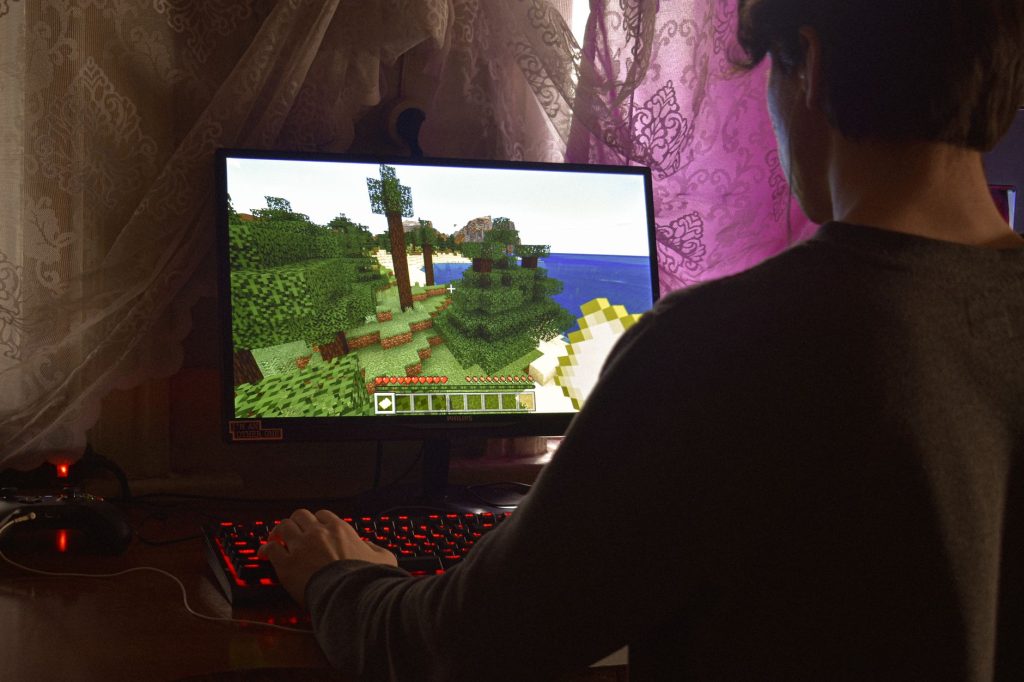
The base game of Minecraft is huge, but a thriving community has spent years building on top of it. Those community creations are called mods, and learning about Minecraft mods opens up a whole new layer of the game. Mods can add new creatures, machines, dimensions, quality-of-life tweaks and entire questlines that the original game never shipped with. This beginner’s guide explains what mods actually are, where to find trustworthy ones, and how to install them safely without breaking your game or risking your computer.
What is a mod, exactly?
A mod, short for modification, is a piece of software made by a player or team that changes how Minecraft works. Some mods are tiny, such as one that lets you see a clock on screen. Others are enormous, adding hundreds of items, blocks and mechanics that transform the game into something that feels brand new. Crucially, mods are unofficial. They are not made by the studio behind Minecraft, which means they rely on community tools to plug into the game.
Because mods change the game’s code or content, they need a way to load into Minecraft. That is the job of a mod loader, a separate program that sits between the game and your mods. The two most common loaders are Forge and Fabric. You install a loader once, then drop your mods into a folder, and the loader makes them work together. Most mods are built for one specific loader, so you choose mods that match the loader you have installed.
The main types of mods
Mods come in many flavours, and knowing the categories helps you pick what suits your play style.
| Type of mod | What it does | Good for |
|---|---|---|
| Quality of life | Small convenience tweaks like minimaps or inventory sorting | Almost everyone |
| Content / adventure | Adds new mobs, biomes, dimensions and items | Players wanting fresh exploration |
| Tech and automation | Machines, power systems and complex crafting | Engineering-minded players |
| Magic | Spells, rituals and magical progression | Fans of fantasy gameplay |
| Performance | Improves frame rate and loading without changing gameplay | Players on older computers |
| Modpacks | Curated bundles of many mods that work together | Beginners wanting a ready-made experience |
If choosing individual mods feels overwhelming, a modpack is often the easiest entry point. Someone else has already picked compatible mods and balanced them, so you install one package and start playing.
Where to download mods safely
This is the most important part of the whole process. Because mods are software you run on your own machine, downloading them from the wrong place can expose you to malware disguised as a mod. The safe approach is to stick to well-known, reputable mod-hosting platforms that the community trusts and that screen what they host. Avoid random file-sharing links, unofficial mirror sites, and anything that asks you to disable your antivirus or run an unfamiliar installer.
A few rules keep you safe. Download mods only from established community repositories. Read recent comments and check that the mod is actively maintained. Be cautious with any download wrapped in its own custom installer rather than a simple file. And always make sure the mod’s version matches both your game version and your mod loader. A mismatch will not harm your computer, but it will stop the game from launching.
How to install a mod step by step
The process is more approachable than it looks. Here is the general path most players follow.
First, install the right mod loader for the mods you want. You typically download the loader, run its installer, and it adds a new launch option to your game launcher. Second, launch the game once using that new option so the loader sets up its folders. This creates a folder named mods inside your game directory. Third, place the mod files you downloaded into that mods folder. Most mods come as a single packaged file that you simply drop in without unzipping. Fourth, launch the game again with the loader profile selected. If everything matches, your mods load automatically and you will usually see a mods menu confirming they are active.
If the game crashes or a mod is missing from the list, the cause is almost always a version mismatch or two mods that conflict. Remove the most recently added mod and try again to narrow down the culprit. Our guide on the best mods to start with walks through specific beginner-friendly picks if you want a concrete shortlist.
Staying safe and avoiding common pitfalls
Beyond downloading from trusted sources, a few habits keep your game stable. Always back up your worlds before adding a major mod, because some content mods change how worlds generate and can affect existing saves. Add mods a few at a time rather than dozens at once, so that if something breaks you know which mod caused it. Keep a note of which game version and loader version you are running, since mods are picky about matching. And resist the temptation to mix mods built for different loaders, as Forge and Fabric mods generally cannot run together without special compatibility layers.
It is also worth keeping your mod loader and mods reasonably up to date, because updates often fix crashes and conflicts. That said, do not rush to the newest game version the moment it releases. Mods take time to catch up, so many experienced players deliberately stay one version behind to keep their favourite mods working.
Modding on servers versus single player
Everything so far assumes you are modding your own single-player game. If you want to play modded with friends, the same mods usually need to be installed on a server as well, and every player must run the matching set of mods to connect. This is more involved than single player, but it is how the most ambitious community experiences come together. If running a server interests you, our server hosting explained article covers the basics in plain English before you layer mods on top.
Frequently asked questions
Are Minecraft mods free?
The vast majority of mods are made by hobbyists and shared free of charge. Some creators accept optional donations, but you should never have to pay to download a standard community mod. Be suspicious of any site demanding payment to access a popular free mod.
Will mods get my account banned?
Using mods in your own single-player game is a normal, widely accepted part of the community. The main thing to avoid is cheating mods on multiplayer servers that forbid them, as individual servers set their own rules and can remove players who break them.
What is the difference between Forge and Fabric?
Both are mod loaders that let mods run in the game. Forge is long-established and supports many large content mods, while Fabric is lighter and popular for performance and smaller mods. You pick the loader your chosen mods are built for.
Can I uninstall a mod safely?
Yes. Removing a mod is usually as simple as deleting its file from the mods folder. The catch is that worlds created with content mods may rely on blocks that mod added, so always keep a backup before removing a mod from an existing world.
Do mods work on the Bedrock edition?
The mods described here run on the Java edition, which is where the mod loaders and the largest modding community live. Bedrock has its own add-on system that works differently and is more limited in scope.
Ready to start your world?
Browse the guides, or tell us your server project and we will point you in the right direction.