The Best Minecraft Mods Worth Installing
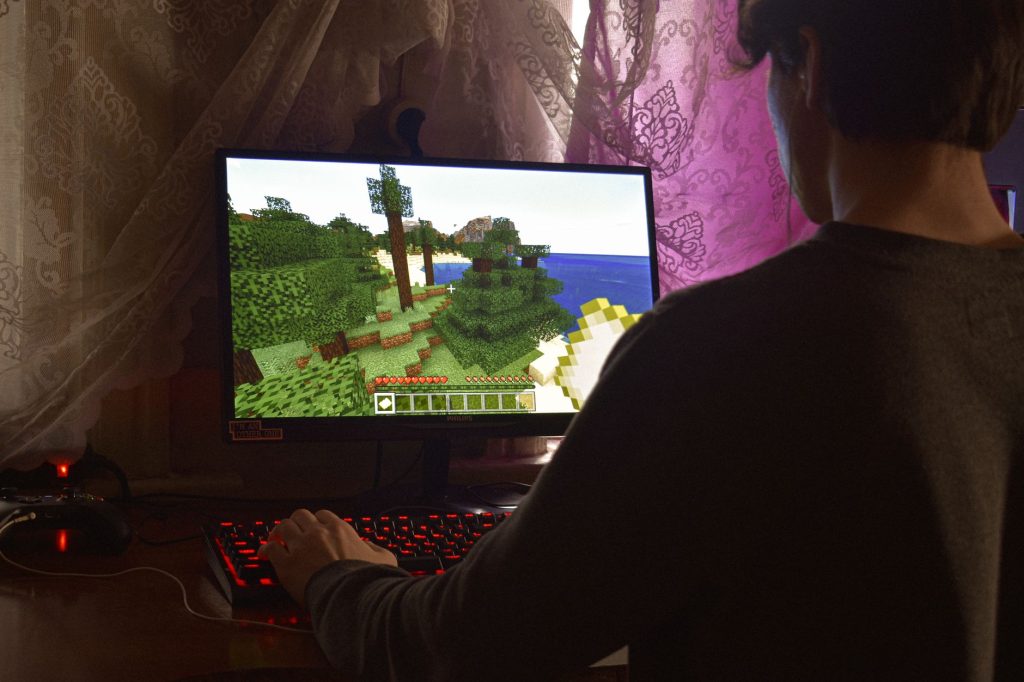
Vanilla Minecraft is wonderful, but after enough hours you may crave something new, and that is where mods come in. Finding the best of Minecraft mods can transform a familiar world into something fresh, smoother, prettier, or simply more convenient. The trouble is that there are thousands of mods out there, and not all of them are worth your time. This handpicked overview focuses on the categories of mods that genuinely improve gameplay, so you can spend less time sifting through options and more time enjoying the game you love.
Performance Mods That Make the Game Smoother
Before adding anything flashy, it is worth installing mods that make the game run better. Performance mods optimise how the game uses your computer, often boosting frame rates and reducing stutter even on modest hardware. For many players this is the single most noticeable improvement they can make, because a smoother game feels better in every way.
These mods are especially valuable if you plan to install heavier content later, since they free up resources that demanding mods will use. If you are brand new to installing anything, our walkthrough on mods to start with explains the basics of getting set up safely.
Quality-of-Life Improvements
Some of the best mods do not add dramatic new features at all. Instead, they smooth over small frustrations that have bothered players for years. These quality-of-life mods are gentle, hard to break, and easy to live with:
- Inventory helpers that sort your items and let you manage chests with a click.
- Minimaps that show your surroundings and help you find your way home.
- Item and recipe viewers that let you look up how to craft anything in-game.
- Zoom features that let you peer into the distance like a spyglass.
- Better menus and tooltips that surface useful information at a glance.
The beauty of quality-of-life mods is that they rarely change the core game, so they suit players who love vanilla but want a little less friction. Many people consider this category essential and install a handful in every world.
Content Mods That Add New Things to Do
If you want genuinely new experiences, content mods deliver. These add fresh biomes, creatures, items, dimensions, and mechanics, often enough to feel like a whole expansion. The category is huge, so it helps to think about the kind of experience you want before diving in.
| Content type | What it adds | Good for |
|---|---|---|
| Exploration | New biomes, structures, dimensions | Players who love adventuring |
| Technology | Machines, automation, power systems | Engineers and tinkerers |
| Magic | Spells, rituals, magical progression | Fans of fantasy gameplay |
| Creatures | New mobs, pets, and bosses | Players who want more life in the world |
Content mods can be combined, but pile on too many at once and your world may become a confusing jumble. A focused selection that fits a theme usually plays better than a random heap of everything.
Visual and Atmosphere Mods
For players who care about how the game looks and feels, visual mods are a treat. Some improve the lighting and shadows so the world feels deeper and more atmospheric. Others adjust how blocks connect, add subtle animations, or enhance the sky and weather. The effect can be striking, turning a familiar scene into something that genuinely takes your breath away.
Be aware that the most demanding visual enhancements ask a lot of your hardware. This is another reason to install performance mods first, since the two categories work together: optimisation buys you the headroom to enjoy nicer graphics without sacrificing smoothness.
How to Choose Mods Wisely
With so much choice, a little discipline goes a long way. Keep these principles in mind as you build your collection:
- Match your game version. Mods are built for specific versions, and mismatches cause crashes.
- Start small. Add a few mods, test that everything works, then add more.
- Read what each mod does so you understand how it changes your game before installing it.
- Download from trustworthy sources to avoid corrupted or unsafe files.
- Keep backups of your worlds before introducing major content mods.
This careful approach saves hours of troubleshooting. A modded setup that grows one piece at a time is far easier to fix than one where you added twenty mods at once and now cannot tell which is causing a problem.
Mod Loaders and Packs
Most mods need a mod loader, a piece of software that lets the game read and run them. You install the loader first, then drop your mods into the right folder. If managing individual mods sounds like a chore, modpacks bundle many compatible mods together into a single curated experience, often built around a theme. Packs are a fantastic way to enjoy a rich modded world without assembling everything yourself, and they take much of the guesswork out of compatibility.
Whether you build your own collection or grab a pack, mods open the door to years of fresh play. Take it slowly, pick mods that suit how you like to play, and you will rediscover why Minecraft keeps players coming back long after they have seen everything the base game has to offer.
Frequently asked questions
Are mods safe to install?
Mods are safe when you download them from reputable sources and match them to your game version. Trouble usually comes from unofficial download sites or mismatched versions. Stick to well-known sources, read what each mod does, and keep backups of your worlds.
Do I need a mod loader to use mods?
Most mods require a mod loader, which is software that lets the game run them. You install the loader once, then add mods into the correct folder. Some lightweight tweaks work differently, but for the majority of mods a loader is the standard first step.
Will mods slow down my game?
Some can, especially demanding visual mods. The fix is to install performance mods first, which optimise the game and create headroom for heavier additions. With that foundation in place, many players run rich modded setups smoothly.
Can I use multiple mods at once?
Yes, and most players do. The key is that the mods are compatible with each other and built for the same game version. Add them gradually and test as you go, so you can spot any conflict before it becomes hard to diagnose.
What is the difference between a mod and a modpack?
A mod is a single addition to the game, while a modpack is a curated bundle of many mods that are known to work together. Packs save you the effort of assembling and testing a collection yourself and are a great option for newcomers.
Ready to start your world?
Browse the guides, or tell us your server project and we will point you in the right direction.