Best Minecraft Skins to Download Right Now
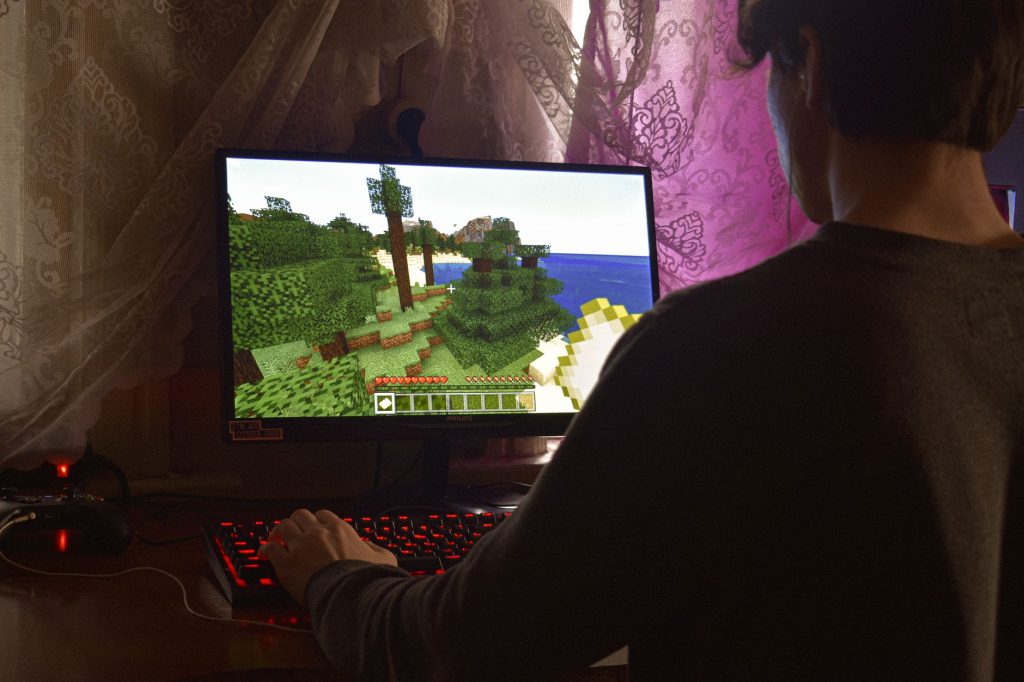
Your skin is the first thing other players notice the moment you spawn in, and choosing from the best Minecraft skins is one of the easiest ways to make a character feel like your own. A skin is simply the texture wrapped around your player model, and swapping it changes nothing about how you play; it is pure personality. This roundup walks through the categories of skins worth equipping right now, where to find quality ones, and how to pick a look that fits the way you play, whether you are building, surviving, or hopping between servers.
What a Minecraft skin actually is
A skin is a small image file mapped onto your character. It controls the colours and patterns on your head, body, arms and legs, but it does not affect stats, speed, reach or anything mechanical. Two players in the same match can look completely different and still play on perfectly even terms. Because skins are cosmetic, you can change them as often as you like without any impact on your worlds or progress.
Both editions of the game support custom skins. The way you apply them differs slightly between the Java and Bedrock versions, but the result is the same: a personalised character that follows you across single player and multiplayer alike.
Categories of the best Minecraft skins
The best Minecraft skins tend to fall into a handful of recognisable styles. Knowing the categories makes it far quicker to find something you will actually want to wear.
Clean and minimal
Simple skins with a couple of strong colours and a tidy outfit age well and read clearly from a distance. These are a great default because they look sharp on any server and never feel dated. If you are unsure where to start, a clean two-tone look is hard to get wrong.
Themed and character-inspired
Plenty of players enjoy skins built around a theme: knights, astronauts, animals, robots, or fantasy classes like mages and rangers. Themed skins are especially fun on roleplay and survival servers where a consistent look adds to the atmosphere.
Seasonal and event styles
Around holidays and seasons, festive skins are everywhere. Cosy autumn outfits, winter coats, and spooky costumes are easy ways to keep your character feeling current without committing to one look forever.
Matching skins for friends
If you play with a regular group, matching or coordinated skins make your team instantly recognisable. Many skin sets are designed as pairs or squads, with shared colours and complementary details.
Where to find quality skins
There is no shortage of places to download skins, but quality varies a lot. The most reliable sources are well-known community skin libraries where users upload and rate creations. These sites let you preview a skin on a rotating 3D model before you commit, which is the single most useful feature when judging a download.
A good preview shows you how the design wraps around the arms and back, areas that thumbnails often hide. Look for skins that stay clean and readable from behind, not just from the front, because other players see your back as often as your face.
| If you want | Look for skins that are |
|---|---|
| To stand out in PvP | High contrast and easy to spot at a glance |
| A cohesive roleplay look | Themed, with consistent colours front and back |
| Something timeless | Minimal, two or three colours, no clutter |
| To match your friends | Part of a designed set or squad pack |
How to choose a skin that fits you
The best skin for you depends on how you spend your time in the game. A few questions help narrow it down quickly. Do you mostly play solo survival, where the skin is just for your own enjoyment? Do you play competitive servers, where visibility and a recognisable silhouette matter? Or do you play roleplay, where a themed, story-friendly look adds the most?
It also helps to think about the slim and classic model widths. Skins are built for one of two arm widths, and picking the matching version keeps the design looking correct rather than stretched or pinched at the shoulders.
Applying your new skin
Once you have chosen a skin, applying it is quick. The exact steps differ between editions, but the idea is the same: download the skin file or select it from an in-game catalogue, then set it as active. After that it appears immediately in your worlds. If you want the full walkthrough for both editions, our guide on how to install a Minecraft skin covers the process for Java and Bedrock step by step.
Because changing skins is instant and reversible, the best approach is simply to experiment. Try a clean look one week and a themed one the next, and keep the ones that make logging in feel a little more fun.
Frequently asked questions
Do skins affect how I play?
No. Skins are purely cosmetic. They change your appearance but have no effect on speed, reach, health, or any gameplay mechanic. Everyone competes on equal footing regardless of which skin they wear.
Are downloaded skins safe to use?
A skin is just an image file, so it cannot harm your game the way a bad program might. Stick to well-known community libraries, preview the skin on the 3D model, and you will be fine.
Can I use the same skin on Java and Bedrock?
The artwork can be the same, but the two editions apply skins differently. You generally need to set the skin separately in each edition rather than having it sync automatically between them.
What is the difference between slim and classic skins?
Slim and classic refer to arm width. Classic uses wider arms and slim uses narrower ones. Choosing the version that matches the model your character uses keeps the design aligned correctly.
How often can I change my skin?
As often as you like. There is no limit and no cooldown, and changing your skin never affects your worlds or progress, so you are free to experiment whenever you want a new look.
Ready to start your world?
Browse the guides, or tell us your server project and we will point you in the right direction.